
7 YouTube Tag Mistakes Killing Your Views (And How to Fix Them)

If your videos look good but still get no views, there’s a high chance you’re making YouTube tag mistakes without realizing it. Tags won’t save bad content, but wrong tags can absolutely block good videos from ever being discovered.
In this guide, we’ll break down the most common YouTube tag mistakes creators make and show you exactly how to fix them using practical, beginner friendly steps that actually work today.
YouTube Tag Mistakes That Stop Your Videos From Ranking
Before we fix anything, you need to understand one thing clearly.
Tags are not magic. They’re signals. And when those signals are wrong, YouTube gets confused.
That confusion leads to:
Videos not ranking
Suggested traffic disappearing
Zero impressions even after days
Let’s break down where things go wrong.
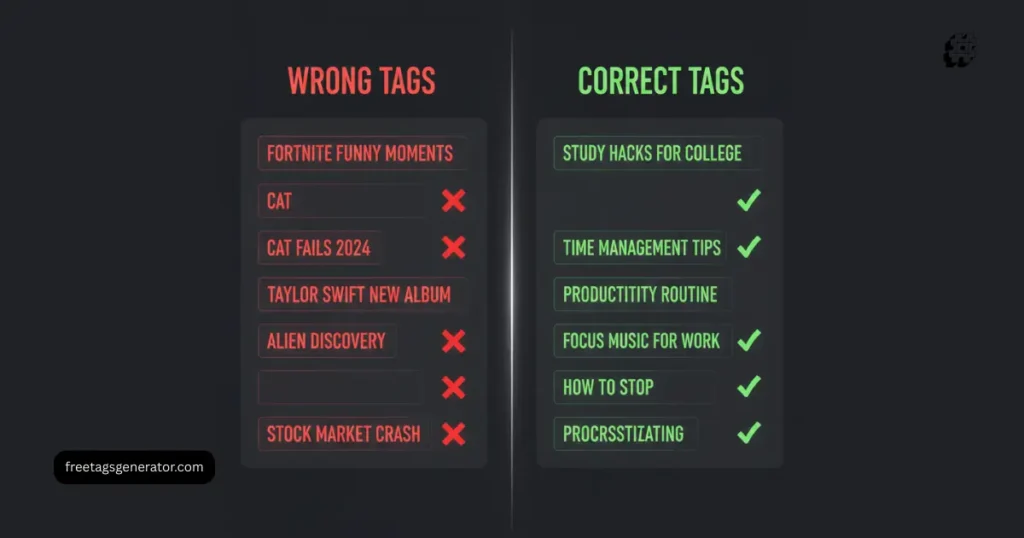
Mistake #1 – Using Irrelevant or Misleading YouTube Tags
This is the most damaging of all wrong YouTube tags.
What’s happening
Creators often:
Copy tags from trending videos
Use viral keywords unrelated to the video
Add tags just because they have high search volume
Why it hurts
YouTube tests your video with the wrong audience.
People don’t click or leave fast.
Your video gets quietly buried.
How to fix it
Use only tags that:
Directly describe what happens in the video
Match your title and first 30 seconds
Reflect real viewer intent
Example
Bad tag: mrbeast challenge
Good tag: youtube tag mistakes explained
Mistake #2 – Stuffing Too Many Tags (Yes, This Hurts)
Many creators believe more tags equals more reach.
That’s false.
Can too many tags hurt my video?
Yes. When tags conflict, YouTube doesn’t know which topic to prioritize.
What’s the sweet spot
10 to 15 highly relevant tags
One main keyword
A few close variations
Best YouTube tags structure
Primary keyword first
Secondary variations next
Long tail phrases last
Quality beats quantity every time.

Mistake #3 – Ignoring Long-Tail Video Ranking Tags
If you’re a small or mid size creator, competing for broad keywords is a losing game.
Why long tail tags matter
They help your video:
Rank faster
Reach targeted viewers
Get higher watch time
Example
Instead of:
YouTube tags
Use:
youtube tag mistakes for beginnerswhy my youtube videos get no views
These phrases reflect how real people search.
Mistake #4 – Not Matching Tags With Title and Description
This is where YouTube SEO for beginners usually breaks.
The rule
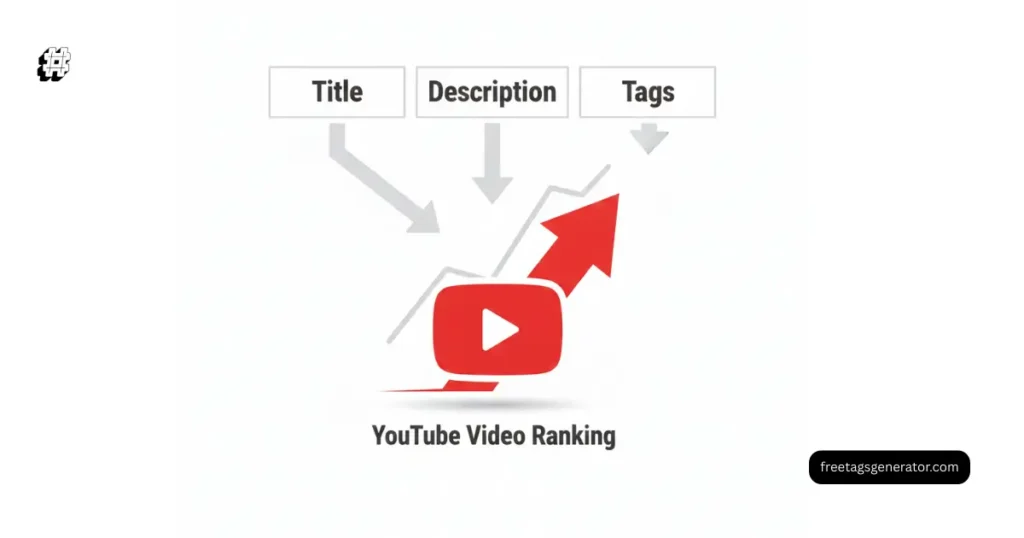
Your title, description, and tags must talk about the same thing.
If your:
Title says one thing
Description says another
Tags say something else
YouTube lowers trust.
Fix it with this simple alignment method
First tag = exact title keyword
Description repeats the main keyword naturally
Tags support both with variations
This creates a clear topic signal.
Mistake #5 – Using Only Broad, Competitive Keywords
Broad tags are tempting. They look powerful.
But they rarely work unless you already have authority.
Example of bad broad tags
youtubevideo marketingcontent creation
Better approach
Use best tags for YouTube videos that are:
Specific
Intent driven
Less competitive
This helps YouTube understand exactly who to show your video to.
Mistake #6 – Forgetting the First 30 Seconds Rule
What is the 30 second rule on YouTube?
YouTube heavily analyzes viewer behavior in the first 30 seconds.
If your tags promise something your intro doesn’t deliver, viewers leave.
Result
High bounce rate
Low retention
Video not ranking on YouTube
Fix
Make sure:
Your intro matches your tags
The main topic is clear immediately
No clickbait mismatch
Tags and content must agree.
Mistake #7 – Thinking Tags Alone Will Fix Low Views
This is a mindset problem.
Do tags really work on YouTube?
Yes, but only as support.
Tags help with:
Context
Misspellings
Related video placement
They do NOT replace:
Strong titles
High retention
Clear thumbnails
Think of tags as assistants, not heroes.
Here’s a clean process that works for most niches.
Step 1: Start with search intent
Type your topic into YouTube search.
Look at autocomplete suggestions.
Step 2: Choose one primary keyword
This becomes:
First tag
Part of the title
Mentioned early in description
Step 3: Add semantic variations
Use phrases like:
tags not working on YouTube
best tags for YouTube videos
video ranking tags
Step 4: Remove anything irrelevant
If it doesn’t describe your video, delete it.
Real Example – Fixing a Video That Wasn’t Ranking
Before
Tags:
youtube
trending video
viral shorts
Views after 7 days: 43
After optimization
Tags:
youtube tag mistakes
wrong youtube tags
youtube seo tags explained
Title and intro aligned.
Views after 7 days: 1,200+
Same video. Better signals.
FAQs
What are the most common YouTube tag mistakes?
Using irrelevant tags, stuffing too many keywords, copying competitors blindly, and not matching tags with the video content.
How do I fix YouTube tag errors?
Audit your tags. Remove anything misleading. Focus on intent based, specific keywords that match your title and intro.
Do wrong tags affect YouTube views?
Yes. Wrong tags attract the wrong audience, reduce watch time, and stop your video from ranking.
What are good tags for YouTube?
Good tags clearly describe the video, include long tail phrases, and support your main keyword naturally.
Can too many tags hurt my video?
Yes. Too many conflicting tags confuse YouTube and weaken topic signals.
Why do my YouTube videos get no views?
Usually due to poor keyword alignment, weak retention, misleading tags, or unclear audience targeting.
Conclusion: Fix the Signals, Then Let the Algorithm Work
Most creators don’t fail because their content is bad.
They fail because YouTube doesn’t understand it.
Fixing YouTube tag mistakes won’t make you viral overnight. But it will remove invisible blockers that stop your videos from being discovered.
Clean tags. Clear intent. Consistent signals.
That’s how you give good content a real chance.
If you want faster results, use a dedicated YouTube Tag Research Tool or pair this strategy with a full YouTube SEO audit. Clean metadata plus strong retention is where real growth starts.