

How Many YouTube Tags Should You Really Use?
If you have ever uploaded a video and wondered how many YouTube tags are enough, you are not alone. Some creators add five tags and move on. Others stuff the full limit and hope for magic. The truth sits somewhere in the middle, and getting it right can quietly improve discoverability without wasting time.
How Many YouTube Tags Should You Use? (The Exact Answer)
Let’s get straight to it.
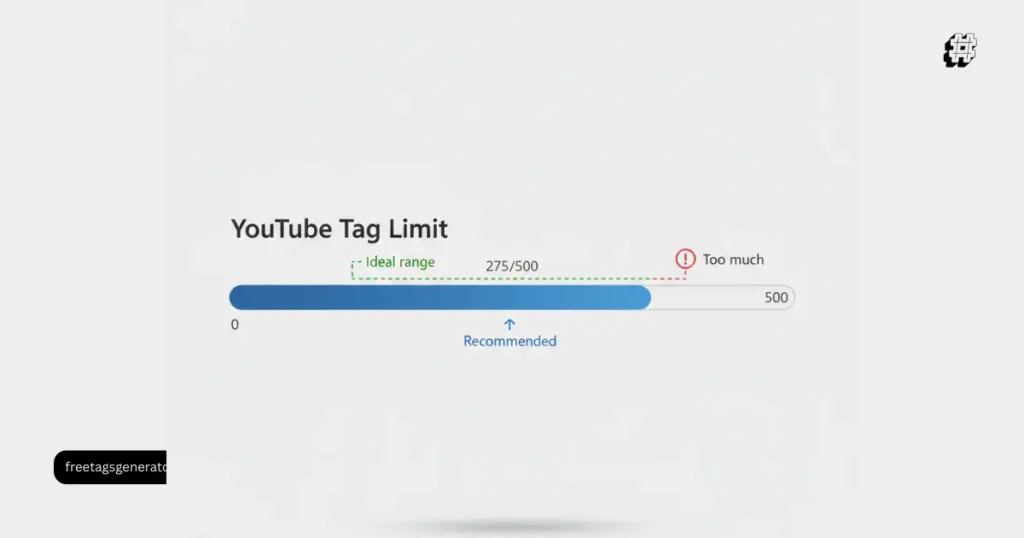
YouTube allows up to 500 characters in the tags field. That is the real YouTube tag limit, not a fixed number of tags.
In practice, this usually means:
10 to 15 well-chosen tags
Around 200–300 characters total
Focused on relevance, not volume
So when people ask how many YouTube tags should I add, the smarter answer is not “as many as possible,” but as many as are useful and accurate.
Tags help YouTube understand:
Misspellings of your title
Alternate keywords
Context when your title and description are unclear
They are not the main ranking factor anymore, but they still matter in the right situations.
Why Most Creators Get YouTube Tags Wrong
Here is the common mistake.
Creators think:
More tags = more reach
What actually happens:
Irrelevant tags get ignored
Overstuffed tags confuse the algorithm
Time is wasted on low-impact work
YouTube itself has confirmed that tags play a supporting role, not a leading one. Titles, descriptions, thumbnails, watch time, and CTR matter far more.
Tags work best when they:
Reinforce your topic
Catch variations people search
Support YouTube SEO tags in edge cases
Is There a Tag Limit on YouTube?
Yes. But it is not a number.
YouTube Tag Limit Explained
Maximum: 500 characters
Includes spaces
Applies per video
This means:
Short tags allow more entries
Long tags reduce total count
That is why asking about the number of tags YouTube allows can be misleading. Two creators can both hit the limit with completely different tag counts.
What Is the Optimal Number of YouTube Tags?
Based on real-world testing and creator data, the optimal YouTube tags setup looks like this:
Ideal Tag Breakdown
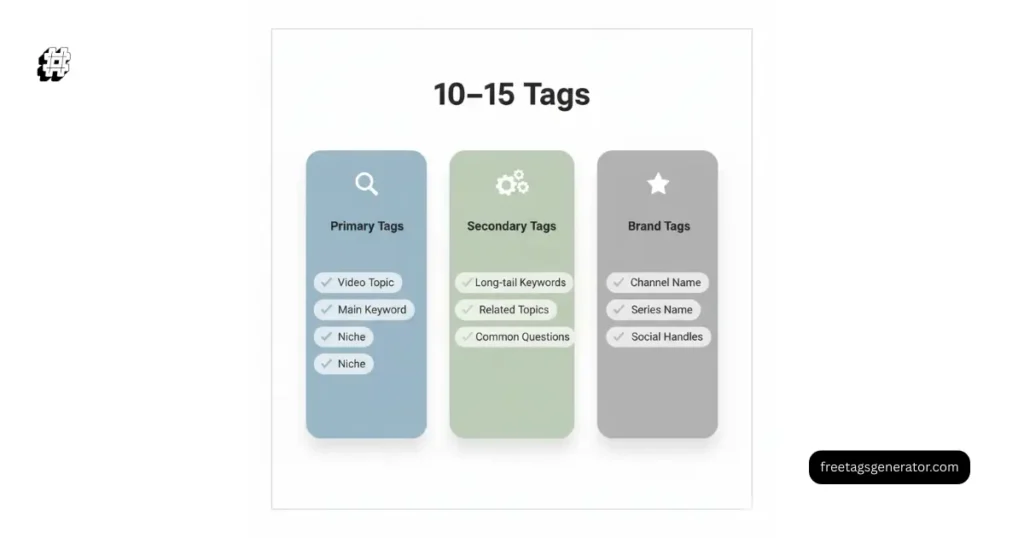
3–5 primary tags
Exact topic and main keyword
3–5 secondary tags
Variations and related phrases
2–4 branded or channel tags
Total: 8–14 tags
This setup:
Stays under the tag length YouTube prefers
Keeps relevance high
Avoids spam signals
Maximum Tags on YouTube vs Ideal Tags
| Factor | Maximum Allowed | Recommended |
|---|---|---|
| Characters | 500 | 200–300 |
| Tag count | Depends on length | 10–15 |
| Focus | Quantity | Relevance |
| SEO impact | Low if abused | Moderate if focused |
More tags do not mean better YouTube SEO setup. Clean structure wins.
Do YouTube Tags Still Affect Ranking?
This question comes up a lot.
Does the Number of YouTube Tags Affect Ranking?
Short answer: Not directly.
Long answer:
Tags help with misspellings
They support related video placement
They help YouTube understand context early on
But they do not outweigh:
Watch time
Audience retention
Click-through rate
Engagement
Think of tags as support beams, not the foundation.
Ideal YouTube Tags With Real Examples
Let’s look at a simple example.
Example Video Topic
“How to Edit YouTube Videos on Mobile”
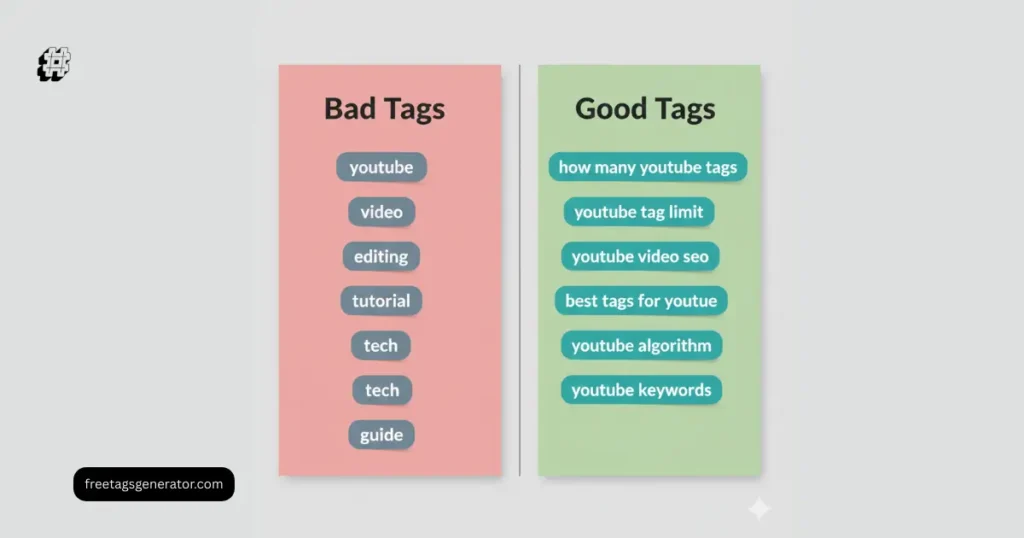
Bad tag setup
youtube
video
editing
mobile
app
Too generic. Almost useless.
Good tag setup
how to edit youtube videos on mobile
youtube video editing app
mobile video editing for youtube
edit youtube videos on phone
youtube editing tutorial
Same number of tags. Completely different value.
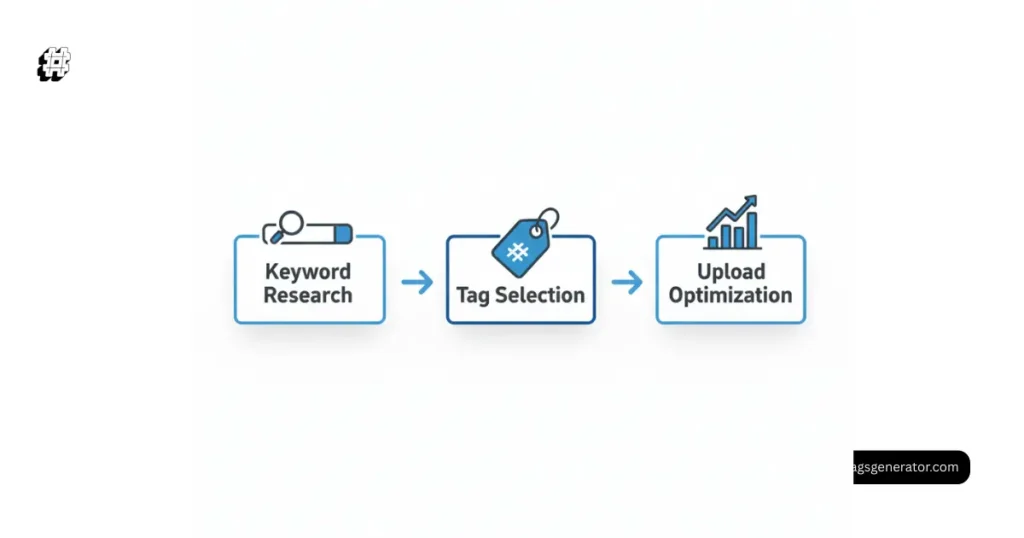
Step-by-Step: How to Choose the Right YouTube SEO Tags
Step 1: Start With Your Main Keyword
Your primary keyword should:
Match the video topic exactly
Appear in title and description
Example:
how many youtube tags
Step 2: Add Keyword Variations
Think like a searcher:
number of tags youtube
youtube tag limit
ideal youtube tags
Step 3: Include Common Misspellings
YouTube explicitly recommends this.
Example:
yotube tags
youtub tags
Do not overdo it. One or two is enough.
Step 4: Add Brand or Channel Tags
This helps with:
Suggested videos
Channel association
Example:
your channel name
recurring series name
What Is the Ideal Tag Length for YouTube?
There is no official rule, but data shows:
2–4 words per tag works best
Long sentence-style tags waste space
Short but specific tags perform better
Example:
“youtube tags” too broad
“how many youtube tags” much better
This balance keeps your tag length YouTube-friendly.
The 30-Second Rule on YouTube and Tags
What Is the 30 Second Rule on YouTube?
It refers to the first 30 seconds of your video being critical for retention.
Why this matters for tags:
Tags help bring viewers
Retention keeps them
Retention influences ranking far more than tags
If people leave in 10 seconds, perfect tags will not save the video.
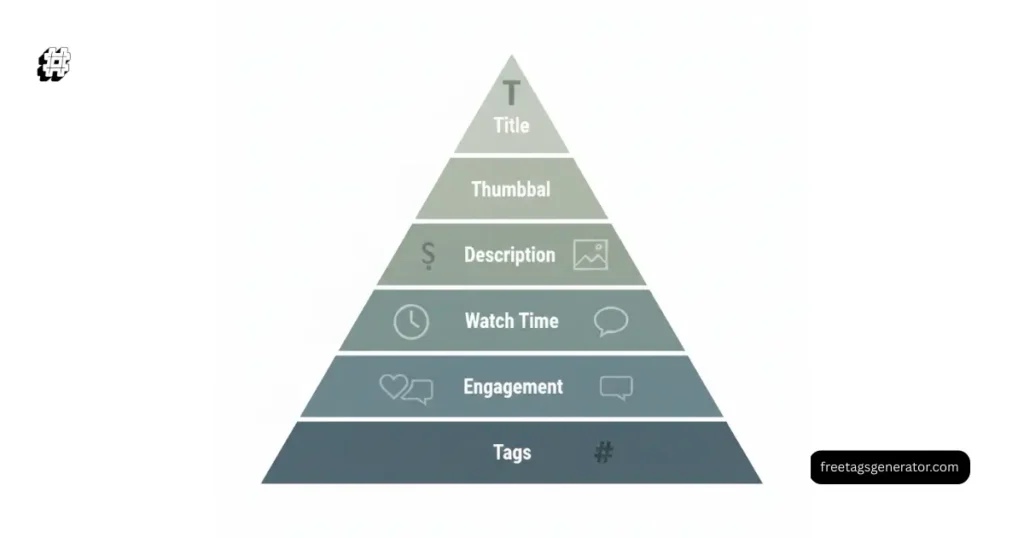
Tags vs Title vs Description (What Matters Most)
Priority order for YouTube SEO:
Title
Thumbnail
Description
Watch time
Engagement
Tags
Tags support the system. They do not lead it.
If you only have time to optimize one thing, fix your title first.
Google Discover and YouTube Tags
For Google Discover and video previews:
Tags have minimal direct impact
Titles and descriptions matter more
Clear topical relevance helps
Tags still help with:
Initial understanding
Edge cases where metadata is unclear
How Many Tags Should I Add to My YouTube Video?
For most creators:
10–15 tags
Focused on one topic
Under 300 characters
That is enough to cover:
Primary keyword
Variations
Misspellings
Anything more is usually wasted effort.
What Is Tag Count on YouTube?
Tag count is simply:
The number of individual tags added
Limited only by character count
YouTube does not show tag count publicly. It only enforces the character cap.
How to Gain 1000 YouTube Subscribers in 30 Days (Tags Perspective)
Tags alone will not do this.
But they help when combined with:
Clear niche targeting
Consistent upload schedule
Strong hooks
Search-focused topics
Tags make your videos easier to understand. Content makes people subscribe.
What Is the 80/20 Rule in Video Editing and SEO?
The 80/20 rule applies perfectly here.
80 percent of results come from:
Title
Thumbnail
First 30 seconds
20 percent comes from:
Tags
Minor SEO tweaks
Do not spend an hour perfecting tags on a weak video.
Common YouTube Tag Mistakes to Avoid
Using unrelated trending tags
Stuffing the full 500 characters
Copy-pasting tags from other niches
Ignoring misspellings
Reusing the same tags on every video
Each video deserves its own tag set.
Should You Use a YouTube Tags Generator?
Yes, if used correctly.
A good tool helps with:
Keyword variations
Misspellings
Long-tail phrases
A bad tool:
Adds irrelevant tags
Encourages stuffing
Use generators for ideas, not blind copy-paste.
 You can try a YouTube Tags Generator to speed up research and stay within the ideal range.
FAQ
Is there a tag limit on YouTube?
Yes. YouTube allows up to 500 characters in the tags field, not a fixed number of tags.
Does the number of YouTube tags affect ranking?
Not directly. Relevance matters more than quantity. Tags support understanding but do not drive rankings alone.
What is the ideal tag length for YouTube?
Most effective tags are 2–4 words long and clearly describe the topic.
What is the 30 second rule on YouTube?
It means viewer retention in the first 30 seconds is critical for performance and ranking.
How much is 1000 views in YouTube income?
Earnings vary by niche and country, but on average it ranges from $1 to $5 per 1000 views.
What is the 80 20 rule in video editing?
Focus most effort on elements that drive results, like hooks and clarity, instead of minor optimizations.
Conclusion: How Many YouTube Tags Actually Work?
So, how many YouTube tags should you really use?
Not the maximum
Not a random number
But a focused set that supports your video
Aim for:
10–15 relevant tags
Clear keyword intent
No stuffing
If you want faster results, combine smart tagging with strong titles and better content.
Use a YouTube Tags Generator to find optimal YouTube tags, stay within limits, and save time on every upload.